Employee Experience Platform: The New Digital Headquarters
A familiar scene plays out in too many companies. An employee gets a Slack message about a policy change, clicks into Confluence for context, opens Asana to check a task, then files a ticket because the policy links to an outdated SharePoint page. HR thinks the answer is in the HRIS. IT thinks the issue is access. The manager just wants the work done.
That isn't an engagement problem in the soft, ornamental sense. It's an operations problem. Every extra login, stale document, and duplicated request adds drag. The modern workplace didn't become inefficient because people stopped caring. It became inefficient because most firms built a digital estate one tool at a time and never designed how those tools should feel as a system.
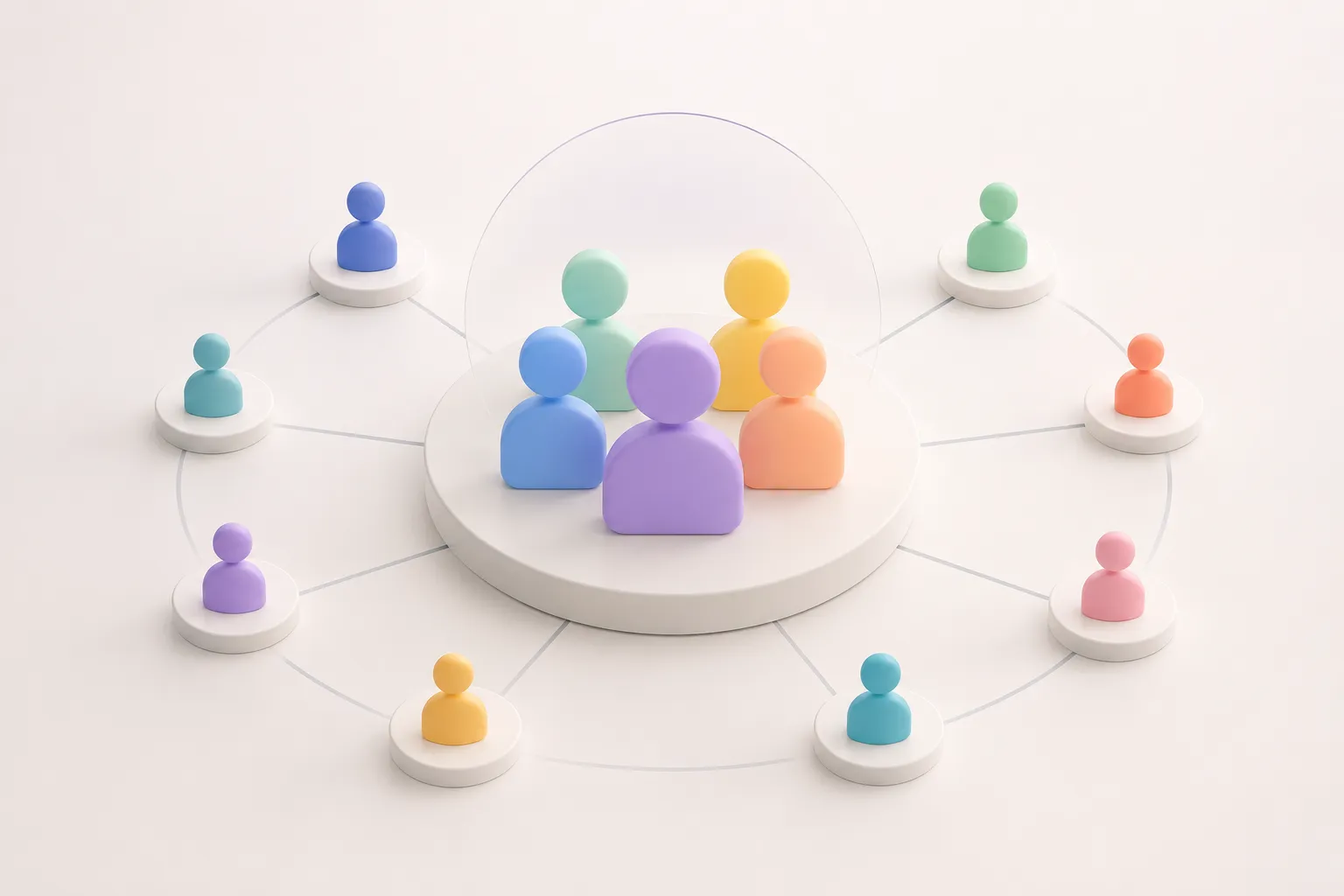
An employee experience platform is best understood as that missing system. Not a giant HR suite. Not a shinier intranet. A practical experience layer that sits over the stack a company already owns and turns scattered systems into a usable digital headquarters.
Table of Contents
- The End of the App-for-Everything Workplace
- What an Employee Experience Platform Actually Is
- The Core Architecture of an Effective EXP
- EXP vs HRIS vs Intranet A Clear Distinction
- Measuring the Real Return on Employee Experience
- How to Select and Implement Your EXP Strategy
- From Platform to Operating Philosophy
The End of the App-for-Everything Workplace
The old logic was simple. Need chat? Buy Slack. Need project management? Add Asana. Need documents? Use Confluence, Google Drive, or SharePoint. Need HR workflows? Put those in the HRIS. Need recognition? Add another app. Need surveys? One more vendor.
The result is predictable. Employees don't experience “best of breed.” They experience fragmentation. They spend the day translating between systems, hunting for the latest answer, and guessing which tool holds the official version of a process.
Fragmentation creates real operating cost
A manager onboarding a new hire can trigger work across five teams without meaning to. HR enters the employee record. IT provisions access. Facilities assigns equipment or space. The direct manager shares a training checklist. Legal may require acknowledgements. If these systems don't meet in one coherent layer, the employee sees a fractured company from day one.
That fracture shows up in support queues. People ask where to find a form, whether a policy changed, why access hasn't updated, or which request channel is correct. These aren't difficult questions. They are expensive questions because teams answer them repeatedly.
Practical rule: If employees must know your internal org chart to complete a routine task, the digital workplace is poorly designed.
The market has started to treat this as infrastructure rather than decoration. The global Employee Experience Platform market for large enterprises was valued at USD 3.45 billion in 2025 and is forecast to reach USD 6.23 billion by 2034, reflecting a strategic shift toward integrated digital environments over fragmented tools, according to Business Research Insights on the large-enterprise EX platform market.
The shift is architectural, not cosmetic
That growth matters for one reason. It signals that large organisations are no longer trying to solve internal friction with disconnected point solutions alone. They're inserting a unifying layer across the stack.
That is the useful frame. An employee experience platform isn't another tile in the app grid. It's the front door that makes the grid tolerable. In better cases, it makes the grid mostly invisible.
What an Employee Experience Platform Actually Is
An employee experience platform is the company's digital headquarters. It doesn't replace every underlying system. It organises access to them, pulls the right data from them, and presents work in a way that matches what employees need to do.

It sits above the stack
The cleanest mental model is this. The HRIS remains the system of record for employee data. Collaboration tools still handle communication. Document repositories still store files. Service tools still process requests. The EXP sits above them as an experience layer.
Employees then get one front door for common actions:
- Find information: policies, playbooks, forms, and answers
- Complete tasks: approvals, requests, onboarding steps, routine admin
- Receive relevant communication: updates by role, location, team, or journey stage
- Connect with colleagues: communities, experts, and support channels
That's different from a static intranet homepage stuffed with links. A homepage publishes. A proper experience layer routes.
What it should feel like to employees
A good EXP should remove the need to remember where things live. A field manager shouldn't need to know whether a travel policy sits in SharePoint or Confluence. A new joiner shouldn't care whether a checklist comes from the HR system or an IT workflow tool. The platform should present the task, the context, and the next action in one place.
The best employee systems don't ask staff to adapt to software boundaries. They hide those boundaries.
That's why “digital headquarters” is the more accurate term than “portal.” A portal suggests a page. A headquarters suggests coordinated activity. It's the place where employees start the day, find what matters, and move work forward without bouncing among six interfaces.
What it isn't
It isn't just a bigger intranet. It isn't just an HR portal with nicer design. It isn't a survey layer pretending to be transformation. And it isn't useful if it merely aggregates links without changing the experience of getting work done.
The distinction matters because many buyers still confuse interface polish with operational design. The stronger platforms aren't judged by how modern the homepage looks. They're judged by whether they reduce internal friction, speed common workflows, and spare support teams from answering the same avoidable question all week.
The Core Architecture of an Effective EXP
The difference between a serious employee experience platform and a branded dashboard is mostly technical. Many products look unified in a demo. Far fewer stay coherent once employee records change, permissions shift, and operational data starts moving in real time.
Real-time data beats nightly repair work
A capable platform needs real-time APIs and event-driven architecture, not nightly batch updates, to maintain a canonical employee profile. That architectural choice reduces confusion and duplicate support tickets by ensuring immediate synchronisation across integrated systems, as described in ChangeEngine's explanation of employee experience architecture.
That sounds abstract until something changes mid-day. A promotion updates the reporting line. A location transfer changes building access. A leave status affects approvals. A team move changes which policies and channels are relevant. If one system updates now and another catches up tonight, the employee gets mixed signals immediately.
The practical consequence is ugly but common. Access is wrong. Tasks route to the wrong manager. A user sees stale content. Support gets dragged in to reconcile systems that should've agreed in the first place.
Canonical profile first
The canonical employee profile is the quiet foundation of the whole model. It should hold the current truth about who the person is in the organisation, what role they perform, where they sit, and what journeys they are in the middle of.
Without that, personalisation becomes theatre. The platform can't confidently decide which announcements matter, which forms are relevant, or which actions belong in that employee's inbox.
A buyer should ask hard questions here:
- How does the platform sync employee changes? If the answer relies on scheduled imports, delays are built in.
- What events trigger updates? Role change, manager change, department transfer, leave status, location, and permissions all matter.
- How does it resolve conflicts across systems? A glossy interface won't fix contradictory source data.
Operational test: Change a user's role at midday and watch what updates before the hour ends. That reveals more than any feature checklist.
Search is not a nice-to-have
The second essential capability is AI-powered enterprise search with natural language processing. Effective platforms index knowledge across tools such as Google Drive, Confluence, and OneDrive, giving employees direct answers without making them guess exact document titles or hunt through separate repositories, as outlined in Haystack's overview of employee experience platforms.
The overlooked knowledge-sharing hub proves decisive. In most firms, the answer already exists somewhere. The problem is retrieval, not authorship. Search has to understand plain language, pull from multiple systems, and return something useful in context.
A weak EXP offers search as navigation. A strong one offers search as task completion.
Communication must be targeted and actionable
The third pillar is a communication and task engine that knows who should see what. Broadcasts to everyone are a symptom of platform weakness. The point is relevance. A warehouse supervisor, remote engineer, finance analyst, and new starter shouldn't open the same homepage and receive the same priorities.
When the architecture is right, the experience stops feeling like internal broadcasting and starts feeling like guided work. That is the ultimate standard.
EXP vs HRIS vs Intranet A Clear Distinction
Confusion in this category is costly because buyers compare the wrong tools. An HRIS, intranet, and employee experience platform can all sit in the same environment, but they solve different problems.
The simplest distinction
The HRIS is the system of record. It stores core employee data, contracts, job details, and formal workflows.
The intranet is traditionally a publishing layer. It posts news, policies, directories, and corporate information.
The employee experience platform is the system of experience and action. It orchestrates tasks, communication, discovery, and journeys across those underlying tools.
EXP vs. Adjacent Systems
System Primary Function Data Flow User Experience HRIS Stores and manages formal employee records and HR processes Mostly authoritative source data flowing outward to other tools Transactional, structured, process-heavy Intranet Publishes internal content, announcements, and reference material Primarily one-way publishing with limited orchestration Browsing and reading, often static Employee experience platform Connects systems into one experience for tasks, content, communication, and support Multi-directional integration across HR, IT, knowledge, and collaboration tools Personalised, action-oriented, role-awareWhere teams get misled
A vendor adds a homepage to an HR product and calls it experience. Another adds a few integrations to an intranet and calls it orchestration. Neither change necessarily solves the daily problem of fragmented work.
Three questions cut through the noise:
- Does it unify action, not just content? If employees still jump to separate systems for every real task, the front end hasn't solved much.
- Does it adapt by role and journey stage? If the same interface appears for everyone, personalisation is cosmetic.
- Does it reduce repeat support demand? If support queues don't improve, the system probably isn't integrating knowledge and workflow effectively.
A useful test is simple. If the product disappears for a day, does work merely lose a homepage, or does internal coordination break down? Only the latter is acting as a real experience layer.
That is why an EXP deserves its own category. It isn't replacing the HRIS any more than a headquarters replaces the filing cabinet. It gives employees a practical way to find their way around the company without learning every internal system first.
Measuring the Real Return on Employee Experience
Most employee technology projects get measured too softly. Leadership hears “engagement,” sees a dashboard of clicks, and still can't tell whether the investment changed operating performance. That's a mistake.

Start with XLAs, not vanity metrics
Effective measurement uses Experience Level Agreements, or XLAs, which define success by employee outcomes rather than traditional uptime metrics. Strong dashboards combine leading indicators such as participation rates and manager 1:1 completion with lagging indicators such as turnover and eNPS, according to Gable's guide to digital employee experience measurement.
That shift matters because an available system can still produce a poor experience. A portal can have perfect uptime and still waste staff time if search fails, answers are buried, and requests route badly.
The metrics that matter operationally
Useful measurement starts where friction shows up in work:
- Support ticket volume and resolution time: If employees can self-serve answers, ticket demand should trend down over time.
- Digital friction score: This measures the gap between expected and actual task completion times, as discussed in SurveySparrow's employee experience metrics overview.
- Tool adoption rates: Approved tools only help if employees use them.
- Onboarding speed: New hires shouldn't spend their first weeks piecing together where information lives.
- Participation and manager behaviours: Completion of key routines often predicts later outcomes better than sentiment alone.
A strong knowledge-sharing hub plays a larger role here than many HR-led programmes admit. Internal communities, searchable discussion threads, and indexed answers can deflect repetitive support demand at the source. Every resolved question becomes a durable asset rather than a closed ticket.
That's why some teams now treat an internal community as core infrastructure, not a side project. A well-run discussion layer can act as the public memory of the organisation. It converts tribal knowledge into searchable knowledge. For teams comparing options, this broader idea is close to what a social network for business should achieve when it is designed for retrieval, moderation, and repeatable self-service.
Frontline ROI is often under-measured
One blind spot remains obvious. Existing buyer guidance rarely quantifies return for frontline or mobile-only staff, even though 60%+ of global employees are frontline or hybrid mobile users who need accessible, on-the-go platforms rather than desktop-centric intranets, as noted in YOOBIC's frontline evaluation guide.
For those workers, the right metrics are less about homepage visits and more about task completion, mobile accessibility, policy retrieval, and whether routine questions get answered without escalating to a supervisor.
A short video can help teams frame this measurement shift in practical terms.
The central point is plain. If an employee experience platform doesn't reduce friction, lower repeat support demand, and speed access to answers, it may still be interesting software. It is not yet an operational asset.
How to Select and Implement Your EXP Strategy
Selection goes wrong when companies buy the broadest suite instead of fixing the highest-friction journeys. The better approach is narrower and tougher-minded. Start with where employees lose time, where support teams repeat themselves, and where system boundaries create handoff errors.

A pragmatic selection checklist
- Audit the stack first: List the systems already holding employee data, documents, communications, and support workflows. Most firms have more overlap than they realise.
- Pick one broken journey: Onboarding, internal help, policy discovery, or frontline communication are common starting points because the pain is visible.
- Prioritise open integration: If a platform can't connect cleanly to the tools already running the business, it won't become a real experience layer.
- Inspect search quality: Test natural-language queries against live company content. Search quality is easier to fake in demos than in production.
- Look at permissions and governance: The platform has to respect role-based access without turning publishing into a bottleneck.
Different buyers should optimise for different outcomes
Founders and executives should resist the appeal of a monolith. The sensible move is often integration-first. Keep the systems of record that already work, then create a cleaner layer across them.
Support and community leaders should make the case from ticket deflection and knowledge reuse. The strongest first use case is often not culture content. It's reducing repeat internal questions through searchable answers, moderated discussions, and clear ownership.
Marketing and growth teams can contribute more than many firms expect. They already know how to map journeys, remove drop-off points, and structure content for discovery. The employee journey deserves the same discipline.
The right first rollout is rarely “launch the new employee portal for everyone.” It is usually “fix one recurring operational bottleneck so clearly that adoption becomes self-explanatory.”
Deployment choice is strategic
Deployment also deserves more thought than a procurement checkbox. Cloud-based deployment models held 67.42% of the market share in 2025, while hybrid deployment is the fastest-growing segment, which suggests buyers need to assess integration needs and security posture carefully, according to Mordor Intelligence's employee experience platform market analysis.
Cloud will suit many firms because speed, maintainability, and cross-system integration matter. Hybrid earns attention when data residency, legacy constraints, or internal security models are more complex. Neither model is automatically superior. The right choice depends on how the platform must connect, where sensitive data lives, and how much operational overhead the organisation is willing to own.
From Platform to Operating Philosophy
The useful companies in this category don't merely buy an employee experience platform. They decide that internal operations should be designed with the same seriousness applied to customer operations.
That sounds lofty, but the discipline is concrete. Remove unnecessary handoffs. Give people one obvious place to start. Make answers searchable. Route work based on current data. Measure friction, not just satisfaction. Treat repeat questions as design failures before treating them as staffing problems.
Technology is the visible layer, not the whole answer
A firm can purchase excellent software and still preserve a bad experience if ownership is vague, content is stale, and nobody governs how journeys work end to end. The platform matters. So do standards. Someone has to own employee-facing design in the same way someone owns customer-facing design.
Fragmented ownership often leads to many initiatives failing. HR owns part of the journey. IT owns part. Operations owns part. Internal communications owns another part. The employee experiences all of it as one company anyway.
The mature view
The mature view is simple. The employee experience platform is not a morale accessory. It is operational machinery. It should lower friction, clarify action, and reduce the volume of avoidable internal effort.
That's why the “digital headquarters” framing holds up. Headquarters are not judged by décor. They are judged by whether people can coordinate, decide, and move.
ComBase helps software and platform companies build that kind of searchable, branded community layer fast. If internal support questions, product knowledge, and repeat discussions are scattered across chat, tickets, and docs, ComBase gives teams one place to organise them on their own domain, with threaded discussions, roles, moderation, notifications, and full-text search that turn repeated answers into durable knowledge.